How the tools fit together
CANsole is the home of three complementary products. The product names stay ECUmulator Studio, ECUmulator Touch and CANcorder.
Studio: build and control the simulation
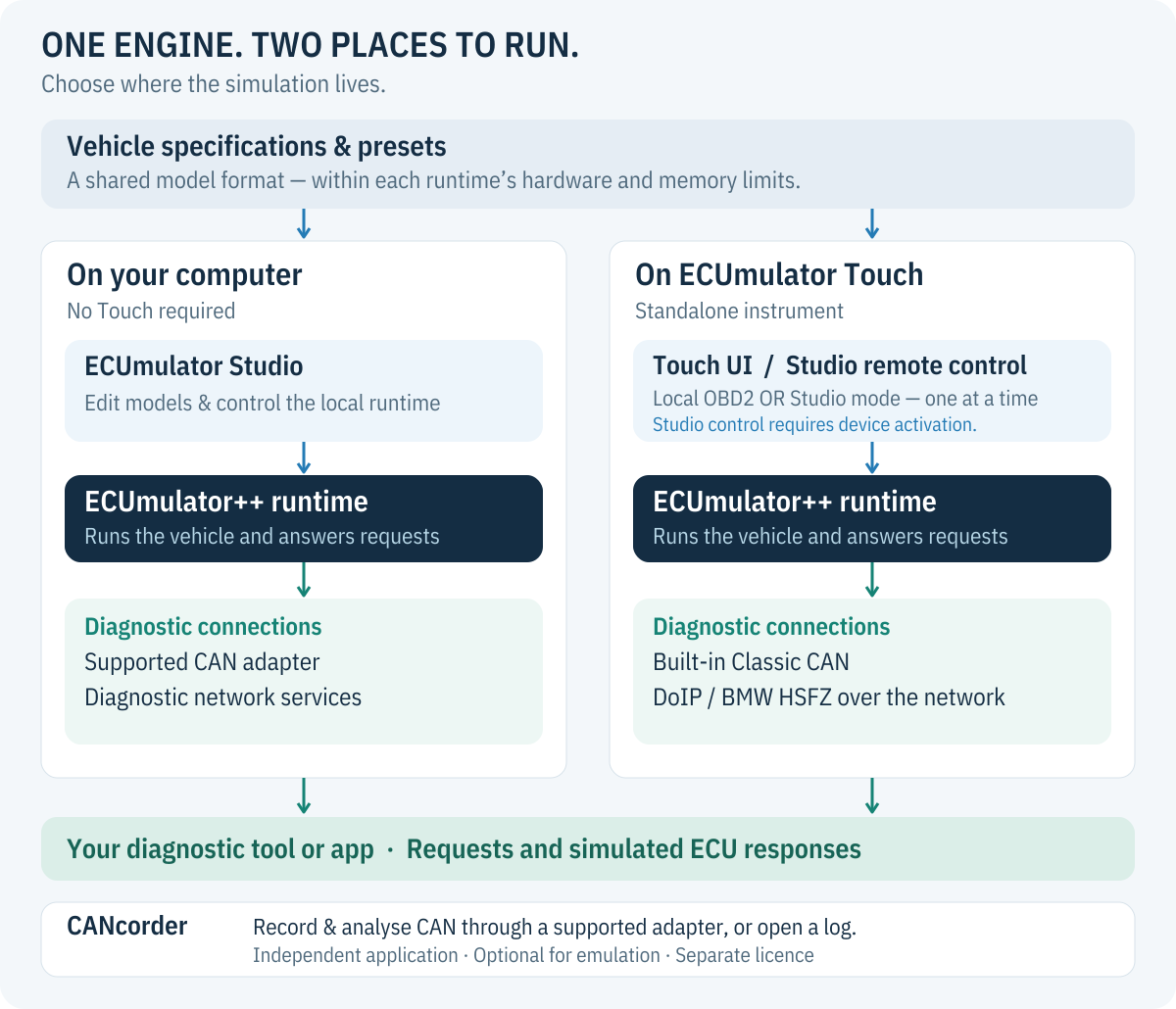
Studio edits vehicle specifications and controls a runtime. That runtime can
run on the same computer, using its supported CAN adapter or diagnostic
network services, or on an activated Touch. The native ecum runtime and ecp
control client also support automated workflows.
A vehicle specification defines ECU behaviour; a preset records a useful configuration for a model. A capture is evidence of observed answers, not a complete specification of every security algorithm or possible ECU state.
Touch: run the bench without a laptop
The base device includes a CAN monitor, generator and four OBD2 models. Studio activation adds remote control and custom vehicle models. The two modes stay separate: local OBD2 or Studio control, never two owners of the same emulation.
Touch has a Classic CAN interface. DoIP and BMW HSFZ use the network. For complex Studio models we recommend USB Ethernet with Wi-Fi off; this preserves internal RAM. Touch is not a physical K-Line or CAN FD adapter.
CANcorder: inspect what actually happened
CANcorder records and analyses traffic. Use it with a supported adapter or open an existing log. It is an independent application, with its own licence; it is not required to operate the emulator.
Shared engineering, explicit limits
Studio and Touch use the shared native ECUmulator++ runtime. A common model format helps move test scenarios between them, but available transports, memory and hardware interfaces still differ. An arbitrary desktop model is not guaranteed to fit every embedded device.
Compare licences, explore Studio or read about ECUconnect integration.