Standalone instrument · 4.3-inch touch display
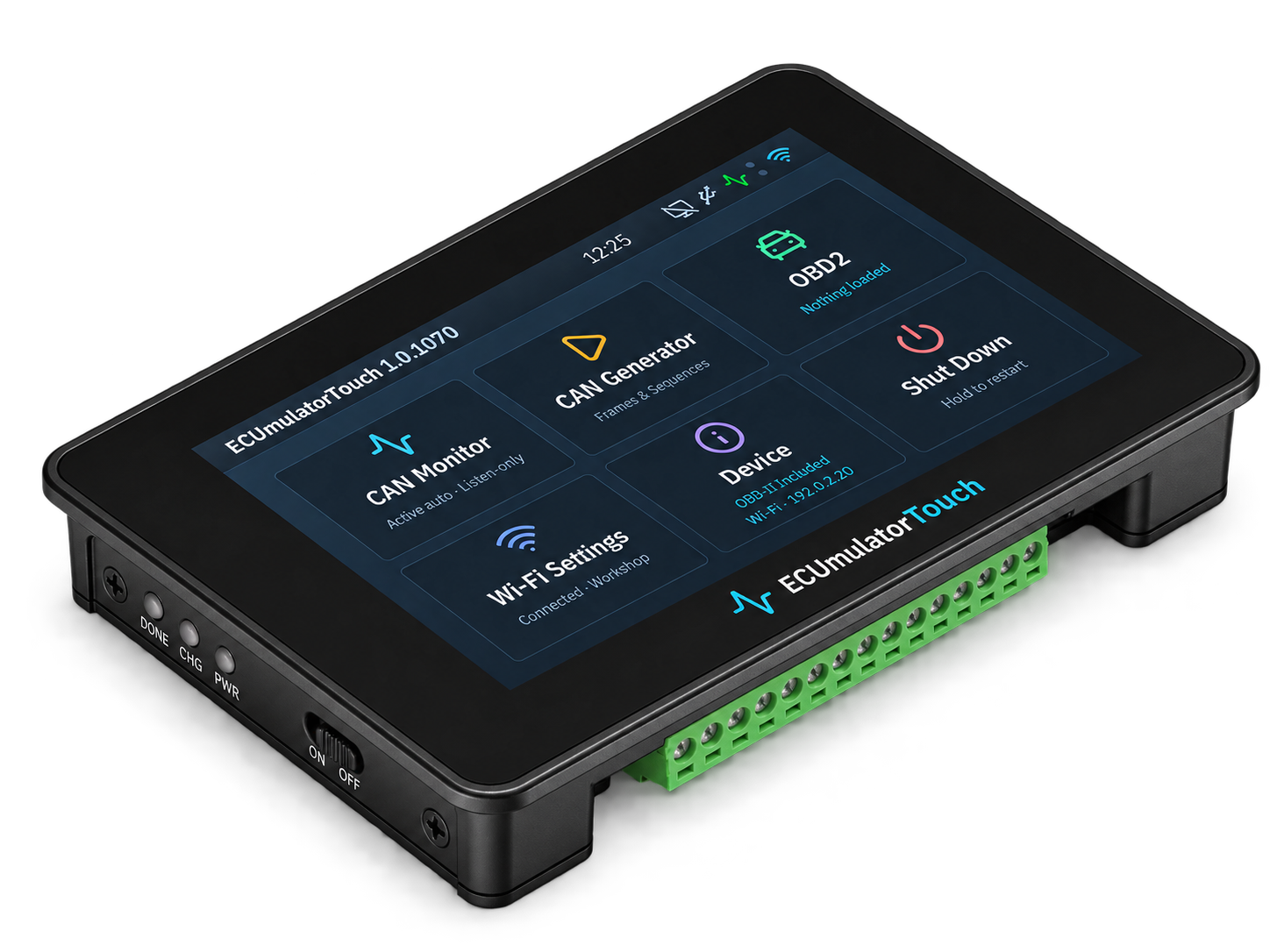
ECUmulator Touch
A vehicle on your workbench.
Pre-launch · Germany · business customers only. Shipping quoted separately. No orders or payments before sales clearance.
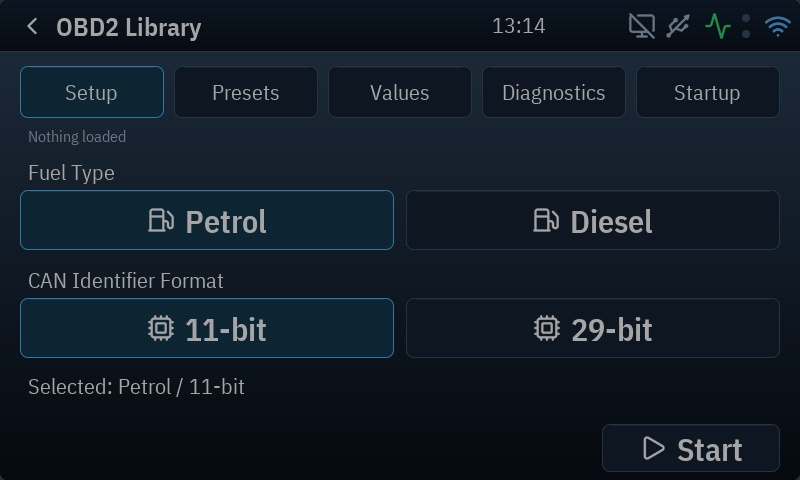
ECUmulator Touch brings CAN monitoring, test-frame generation and an OBD2 simulator together in a compact instrument for professional laboratory use. Connect a diagnostic tester, choose petrol or diesel and 11-bit or 29-bit addressing, then change what the tester sees: engine speed, temperatures, fault codes, readiness and vehicle identification.
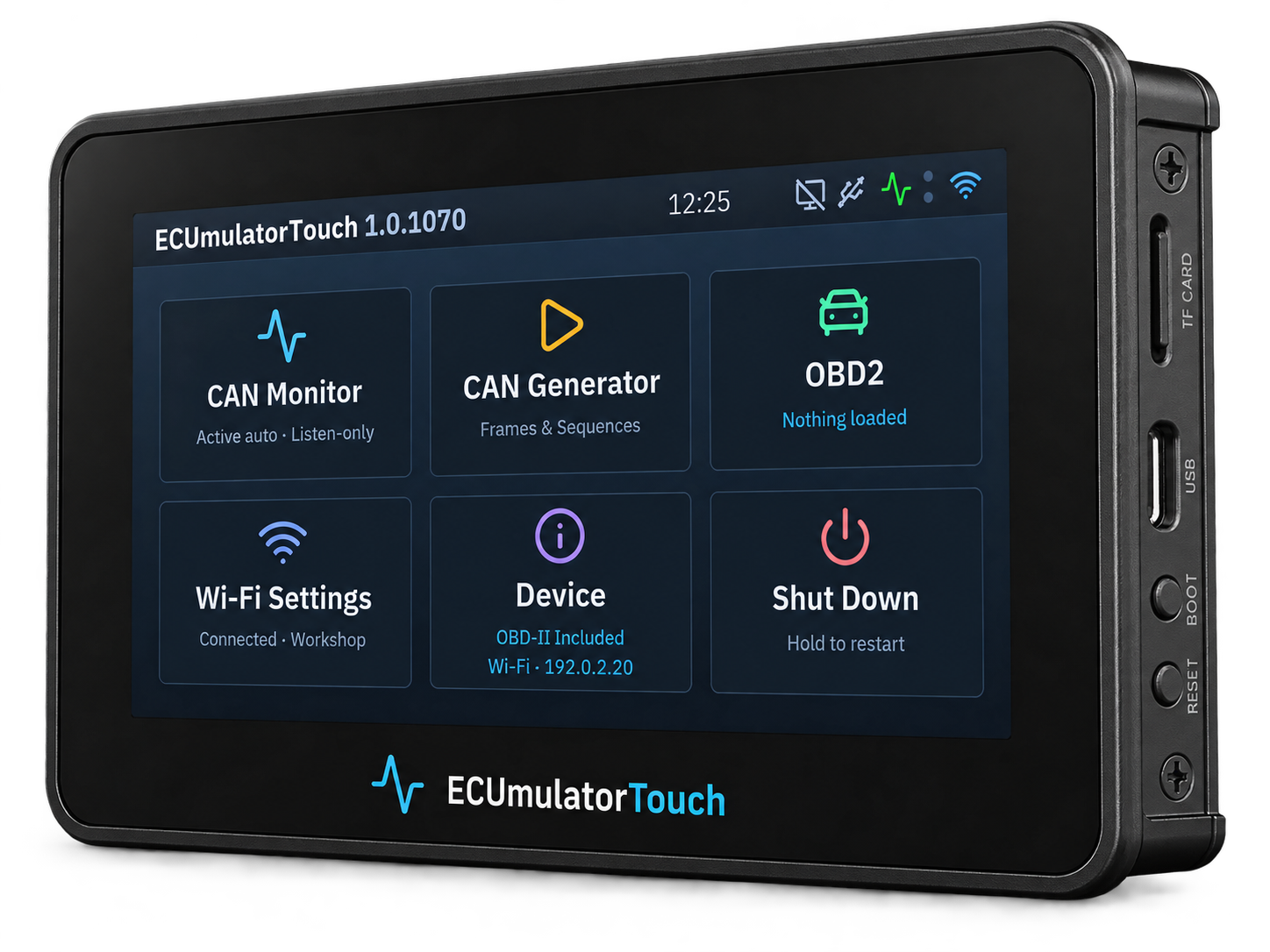
The software has reached the 1.0 series; the hardware product is still pre-launch. Production provisioning and market-entry work are ongoing. The illustrated guide describes the implemented workflows and their limits; its screenshots are generated from the device’s own UI code.
Initial availability is planned exclusively for business customers in Germany, for professional laboratory development, testing and training. No consumer sales. The device is powered from an existing suitable USB power source; no mains adapter or rechargeable battery is supplied.
Requests are non-binding. Hardware sales will be handled directly by email, with advance payment by bank transfer. Availability, shipping and delivery timing will be confirmed in your individual quotation; requests do not reserve a device or constitute an order.
Three jobs on one bench
- Observe: inspect Classic CAN frames, browse buffered history and watch controller health. The monitor can stay open while a simulated vehicle answers.
- Simulate: use the four included OBD2 models, adjust live values and build diagnostic scenarios with faults, freeze frames, VIN and readiness. Save useful setups as presets. Local OBD2 and CAN functions work offline.
- Generate: send an individual CAN frame or a finite test sequence. Choose the bitrate and frame format explicitly before transmitting.
Extend it with Studio
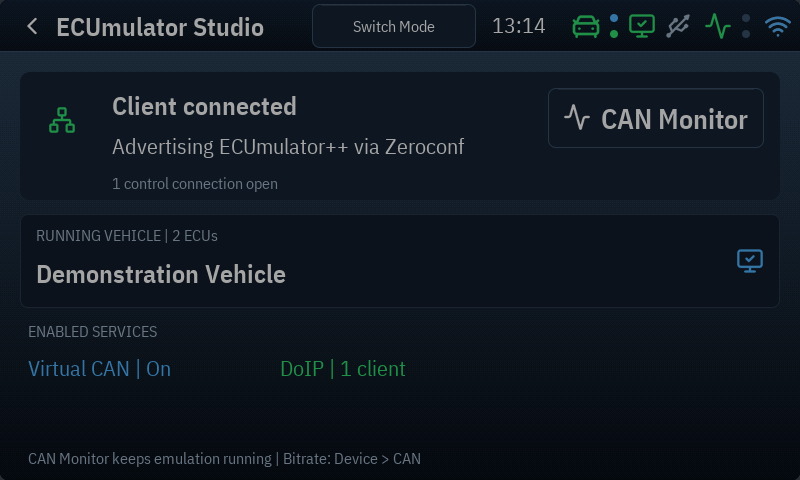
The €499 ECUmulator Studio licence includes activation of one Touch you own. It adds Studio control for loading and editing custom vehicle specifications, while also allowing simulation directly on your laptop. Already own Studio? Request the included Touch activation using your device serial number and Studio order reference; do not purchase Studio again. The included OBD2 simulator remains available: choose OBD2 or Studio as the active mode. The two never control an emulation at the same time.
The Touch’s physical interface is Classic CAN. It does not provide physical K-Line or CAN FD. ECUmulator Touch supports Wi-Fi and optional USB Ethernet; USB Ethernet needs a suitably configured host network. This is a bench tool, not a claim of compatibility with every scanner or vehicle protocol.
For Studio-controlled simulations, we recommend USB Ethernet with Wi-Fi fallback off: keeping the radio off leaves more internal RAM for complex vehicle models. DoIP and BMW HSFZ simulations use the network connection.
Ready for the bench
Read before you connect
The illustrated guide walks through first-start setup, bench wiring, monitoring, frame generation, OBD2 values and diagnostics, presets, Studio control, licensing, networking, updates and maintenance. It includes a clickable contents page, troubleshooting and a glossary. The screenshots show the actual interface with demonstration data.
Both editions include the complete operating instructions. The device interface is English; the German guide explains each operation using the on-screen labels.
Explore ECUmulator Studio, or get in touch about your test setup.